Skip to content
  • facebook.com
  • twitter.com
  • t.me
  • instagram.com
  • youtube.com
Computer Fundamentals

Master the Basics. Understand the Technology Behind Every Computer.

Subscribe
  • Home
  • About
  • Blog
  • Contact
  • Online Tools
  • Computer Fundamentals App
  • Home
  • firmware
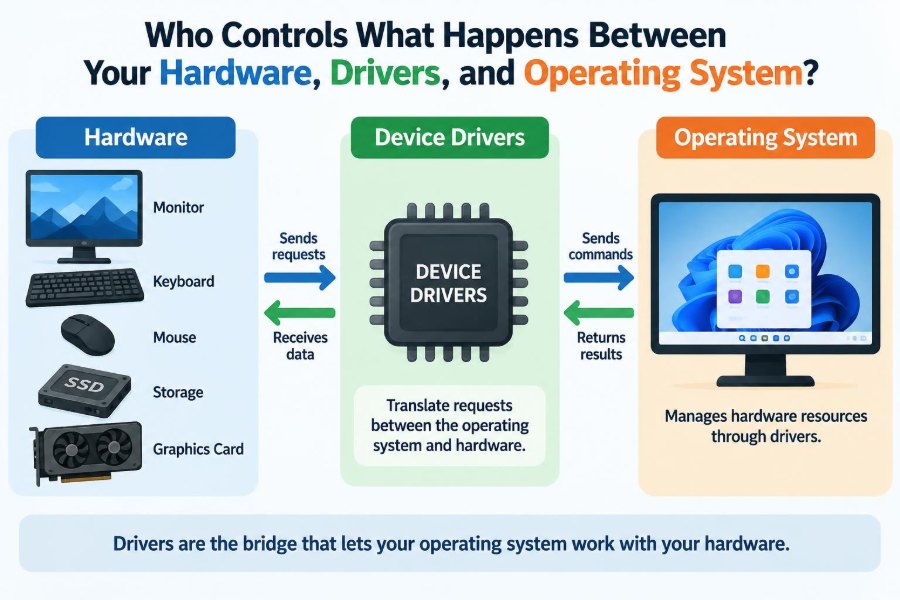
🖥️ Who Controls What Happens Between Your Hardware, Drivers, and Operating System?
Posted inFeatured

🖥️ Who Controls What Happens Between Your Hardware, Drivers, and Operating System?

Posted by admin November 19, 2026
A device does not simply “talk” to your computer. Follow the chain from apps to the OS, drivers, firmware, and hardware—and troubleshoot smarter. 🔍⚙️💻
Read More
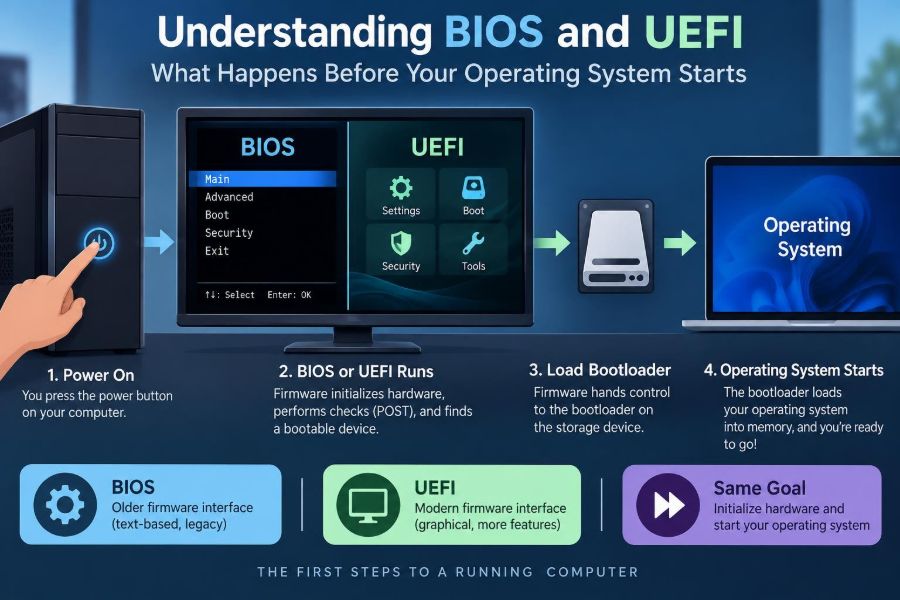
🖥️ Understanding BIOS and UEFI: What Happens Before Your Operating System Starts
Posted inFeatured

🖥️ Understanding BIOS and UEFI: What Happens Before Your Operating System Starts

Posted by admin November 12, 2026
Your sign-in screen is the end of a much earlier process. Learn how BIOS, UEFI, POST, bootloaders, Secure Boot, and firmware settings guide every startup. ⚙️💾🧭
Read More
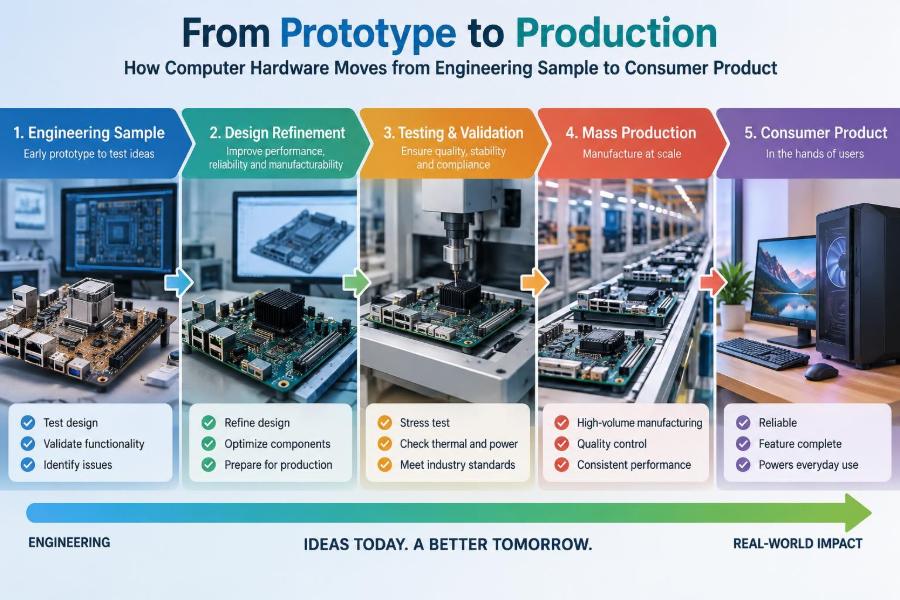
🖥️ From Prototype to Production: How Computer Hardware Moves from Engineering Sample to Consumer Product
Posted inFeatured

🖥️ From Prototype to Production: How Computer Hardware Moves from Engineering Sample to Consumer Product

Posted by admin October 3, 2026
Go behind the retail box and follow the path from rough engineering samples to tested consumer devices—covering boards, firmware, factories, quality checks, and more. ⚙️📦🧪
Read More
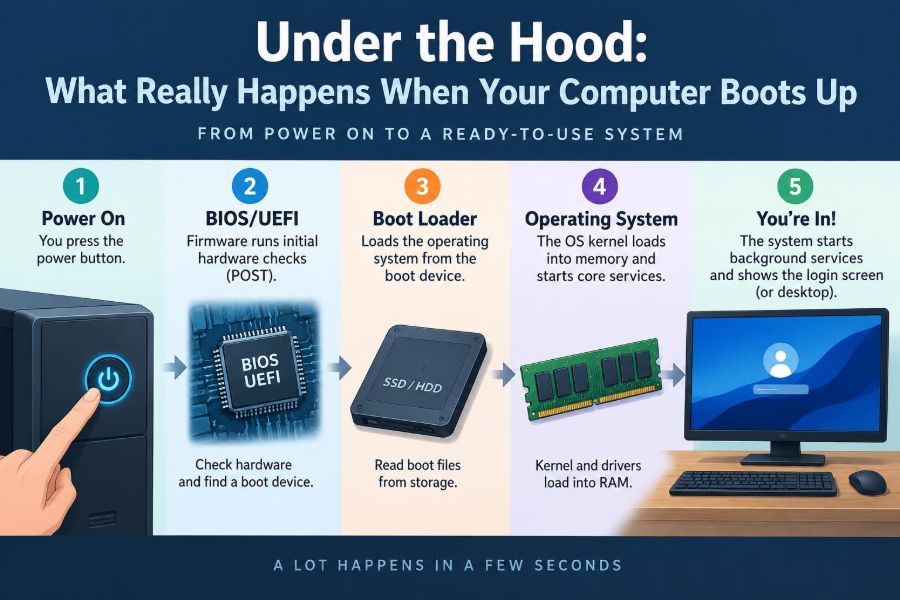
🖥️ Under the Hood: What Really Happens When Your Computer Boots Up
Posted inFeatured

🖥️ Under the Hood: What Really Happens When Your Computer Boots Up

Posted by admin September 29, 2026
From the first power signal to your login screen, follow the hidden boot chain—and learn what startup errors and slowdowns are really telling you. ⚡🔐🧠
Read More
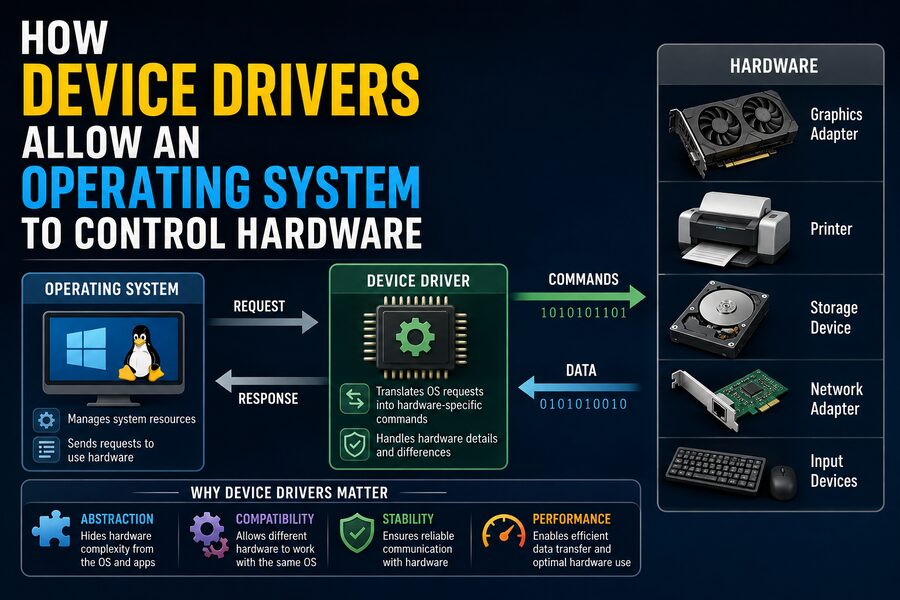
💻 How Device Drivers Allow an Operating System to Control Hardware
Posted inFeatured

💻 How Device Drivers Allow an Operating System to Control Hardware

Posted by admin August 25, 2026
A modern computer contains many different hardware components: processors, graphics cards, keyboards, printers, storage drives,…
Read More

Recent Posts

  • 🖥️ Why Modern Computers Need Firmware Updates and What Actually Changes During Installation
  • 🖥️ What Happens When Your Computer Runs Out of Available IP Addresses on a Local Network?
  • 🖥️ Understanding Monitor Refresh Rates: What Really Changes Between 60Hz, 144Hz, and 240Hz?
  • 🖥️ What Happens When You Connect a USB Device to Your Computer?
  • 🖥️ Why ECC Memory Can Detect and Correct Data Errors That Normal RAM Cannot

Recent Comments

No comments to show.

Archives

  • November 2026
  • October 2026
  • September 2026
  • August 2026
  • November 2021
  • October 2021
  • August 2021
  • July 2021

Categories

  • Basics
  • Cybersecurity
  • Featured
  • Uncategorized
Copyright 2026 — Computer Fundamentals. All rights reserved. Bloghash WordPress Theme
Scroll to Top