
A laptop begins taking longer to start. The fan becomes louder during simple tasks, a storage warning appears, and one morning a software update seems to have changed something that was working perfectly well.
For many people, the response is familiar: postpone the problem, search for error messages, restart repeatedly, or hope a technician can explain it. Computers are powerful tools, but maintaining them can still feel like maintaining a small, invisible machine.
Modern devices already do more maintenance than most users realize. They scan for malware, install patches, manage memory, adjust power use, and sometimes diagnose failing hardware before it stops working.
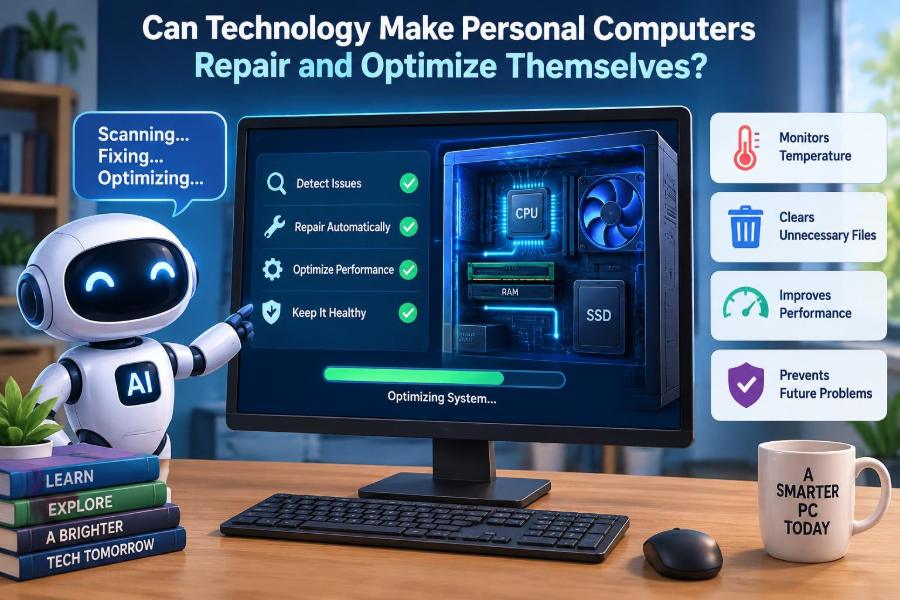
Could that trend lead to a personal computer that repairs and optimizes itself? The answer is partly yes—but only if we understand what “repair” can safely mean, where automation is useful, and where human judgment remains necessary.
🧩 What a Self-Repairing Computer Would Mean
A truly self-repairing PC would detect a problem, identify its likely cause, choose a safe response, apply that response, and verify whether it worked. This is more than displaying a warning or suggesting a web search.
In practice, self-repair ranges from modest actions, such as restarting a crashed service, to harder tasks, such as isolating a faulty hardware component. Most current systems are better described as self-maintaining or self-healing in limited ways.
🔍 The Difference Between Repair and Optimization
Repair restores expected operation after something has gone wrong. For example, replacing a corrupted system file or rolling back a failed driver update is repair.
Optimization aims to improve performance, reliability, battery life, storage use, or responsiveness even when the computer still works. Closing unnecessary background tasks or clearing temporary files may help, but these actions do not repair a broken device.
This distinction matters because an aggressive optimizer can cause damage by deleting useful data or disabling needed services in the name of speed.
🩺 Diagnosis Comes Before Any Safe Fix
Computers cannot make reliable repairs unless they can first observe their own condition. Operating systems collect diagnostic signals such as error logs, application crashes, disk health data, temperature readings, battery condition, and network failures.
A single symptom rarely has one obvious cause. A slow computer might have too little available storage, an overloaded browser, malware, a failing drive, heat-related throttling, or a program consuming memory. Good automation must treat symptoms as clues, not conclusions.
📊 Telemetry Is the Computer’s Health Record
Telemetry is operational data collected from a device: performance counters, crash reports, hardware status, and similar signals. Locally, this data can help a PC decide that a service repeatedly crashes after launch or that a drive reports increasing errors.
Some diagnostic systems also send selected data to a software provider, often to identify widespread bugs. That can improve fixes, but it creates privacy questions. Users should be able to understand what is collected and choose settings appropriate for their needs.
⚙️ Built-In Self-Healing Already Exists
Many operating systems include recovery mechanisms that work quietly in the background. They may restart a stopped service, repair protected system files from a trusted local source, recover a program after a crash, or return to a previous boot configuration.
These features are narrow by design. Restarting a known service is far safer than allowing software to make unlimited changes across the machine. Reliable self-repair usually starts with small, reversible actions.
- Automatic restart of failed background services
- Recovery from an interrupted update
- System restore or startup repair tools
- Replacement of protected, corrupted operating-system files
- Automatic reconnection to known networks and peripherals
🧠 Artificial Intelligence Can Improve Troubleshooting
AI can help interpret large amounts of diagnostic information that would be tedious for a person to review. It can recognize patterns, such as a crash that happens only after a particular update, or unusual resource use from a newly installed application.
However, AI is not a magic diagnostic engine. It can make incorrect inferences, especially when data is incomplete or the device has an unusual configuration. A sensible design uses AI to rank possibilities and explain options, rather than treating every prediction as certain.
🔄 Updates Are Both a Cure and a Risk
Software updates close security weaknesses, fix bugs, and improve compatibility. Automatic updates are therefore one of the most valuable forms of preventive maintenance.
Yet updates can also introduce new bugs, conflict with old software, or expose a driver problem. A self-managing computer needs a safe update process: download from a trusted source, check compatibility where possible, install at an appropriate time, and retain a rollback path if something fails.
⏪ Rollback Makes Automation Less Dangerous
A rollback returns software, a driver, or a configuration to an earlier known-good state. It is similar to keeping a spare key while testing a new lock.
Without rollback, automated repair becomes risky because the computer may replace one problem with another. Before making major changes, good systems create recovery information and avoid removing the only available working version of essential components.
🛡️ Security Is a Form of Preventive Repair
Malware can slow a PC, encrypt files, steal credentials, alter settings, or use resources without permission. Security software, patching, browser protections, and suspicious-behavior detection can stop problems before they become full repairs.
Automation must be cautious here. Quarantining a suspicious file is usually safer than immediately deleting it. A false positive—when safe software is incorrectly labelled harmful—can interrupt work or remove an important tool.
💾 Storage Health Can Be Monitored Early
Storage devices often provide health indicators, including reports about errors, wear, or failed read attempts. These signals can give users time to back up data before a drive becomes unreliable.
Monitoring is not the same as predicting every failure. A drive can stop working with little warning, and an alert does not prove immediate failure. The practical lesson is simple: a self-aware computer should prompt a backup, not promise that data is safe.
🧹 Cleaning Storage Needs Clear Boundaries
Temporary files, browser caches, old installation packages, and duplicate downloads can consume valuable space. Operating systems can safely identify many categories of disposable data.
But “cleanup” tools should not be trusted blindly. A folder that appears unused may hold work files, application data, or recovery information. The best automated cleaners show what they intend to remove, prioritize low-risk categories, and give the user a review option for larger deletions.
🧠 Memory Management Happens Continuously
Random-access memory, or RAM, holds data that active programs need quickly. When available RAM becomes scarce, the operating system moves less-active information to storage, which can make the computer feel slower.
Modern systems already manage memory automatically. The larger problem is often an application with a memory leak: it keeps claiming memory without releasing it. A PC can detect unusual growth and restart the affected app, but it cannot always tell whether the behavior is a bug or an intentional workload.
🌡️ Heat Monitoring Protects Performance
Processors and graphics chips generate heat. When temperatures rise too high, a computer may reduce speed—a process called thermal throttling—to avoid damage.
Fan control, temperature sensors, and power limits allow devices to respond automatically. Still, software cannot remove dust from a cooling vent, replace dried thermal material, or fix a blocked airflow path. Physical maintenance remains part of computer care.
🔋 Battery Care Requires Modest Expectations
Laptop batteries gradually lose capacity through age, use, heat, and charging cycles. Devices can estimate battery health and may offer charging limits intended to reduce time spent at very high charge levels.
These tools can support longer battery life, but they cannot restore worn chemical capacity. If a battery swells, overheats, or has obvious physical damage, it requires professional attention and should not be treated as an ordinary software problem.
📶 Network Problems Are Often Contextual
A self-managing PC can reset a network adapter, renew a connection, test name resolution, or choose a stronger saved Wi-Fi network. Those actions solve some common faults quickly.
They cannot fix every connection problem because the cause may lie with a router, internet provider, DNS service, building interference, account restriction, or remote website. Good diagnostics should say what was tested and what remains outside the computer.
🖨️ Drivers Connect Software to Hardware
A driver is software that helps the operating system communicate with hardware such as printers, graphics cards, audio devices, and Wi-Fi adapters. Driver issues can produce crashes, missing features, or unreliable peripherals.
Automatic driver updates are useful when they come from trusted operating-system or hardware channels. Random “driver updater” utilities are less trustworthy: they may recommend unsuitable versions, bundle unwanted software, or pressure users to pay for simple fixes.
🧪 Testing a Repair Is as Important as Applying It
Automation should not stop after making a change. If a PC restarts a service, it should check whether the service remains stable. If it frees storage, it should confirm that space actually increased and that the process completed without errors.
This feedback loop separates maintenance from guesswork. A repair system should keep a clear record of what changed, when it changed, and how a user can undo it if the outcome is poor.
📦 Modular Hardware Makes Physical Repair Easier
Software can repair settings and files, but it cannot physically replace a failed fan, keyboard, port, display, or storage module. Hardware becomes more repairable when components are modular, documented, and available as replacement parts.
Some desktop PCs are relatively easy to upgrade or repair. Many thin laptops and all-in-one designs are more tightly integrated, which can improve compactness but may make routine replacements harder. Self-diagnosis is most useful when the resulting repair is actually possible.
🤖 Robots Could Help, but Not in Every Home
It is possible to imagine a future support kiosk or service robot that runs tests and replaces standardized modules. In controlled settings, automated equipment already helps technicians test and assemble devices.
A household robot repairing every PC is harder. Computer designs vary, screws and cables are delicate, batteries require careful handling, and a wrong physical action can create more damage. Remote guidance and modular parts are more realistic near-term improvements than fully autonomous hardware surgery.
👤 User Consent Must Shape Automated Actions
Not every fix should happen silently. Restarting a minor background service may be harmless, while uninstalling software, changing security settings, resetting a network profile, or deleting files can affect work and personal data.
A practical approach is to use levels of permission:
- Automatic: low-risk, reversible fixes such as restarting a nonessential service.
- Notify first: actions that may interrupt work, including scheduled restarts.
- Ask for approval: deletions, configuration resets, driver changes, and account-related actions.
🔐 A Repair Tool Must Not Become an Attack Tool
Software with permission to change files, install updates, and alter settings is powerful. If an attacker compromises it, the same privileges intended for repair can be abused.
Self-management systems therefore need secure update verification, restricted permissions, audit logs, and protection against unauthorized remote commands. Convenience should never mean giving an unknown program unrestricted control over a personal computer.
🧾 Explainability Builds Trust
Users are more likely to accept automated maintenance when the system explains its reasoning in plain language. “Your storage is nearly full; temporary update files can be removed” is more useful than an unexplained button labelled “Optimize.”
Good explanations include the observed problem, the proposed action, likely effects, any uncertainty, and a way to reverse the change. This also helps working professionals document changes when a device is used for important tasks.
🏢 Managed Work PCs Have Extra Constraints
In a workplace, a computer may be subject to security policies, licensed applications, compliance requirements, backups, and centralized support. An automated cleanup that is reasonable on a home PC could remove logs or settings needed by an organization.
Business self-repair tools should work within administrator-defined rules. They can identify trouble early and reduce routine support requests, but they should not bypass organizational controls or make undocumented changes to critical systems.
🏠 Home Users Benefit From Guided Maintenance
At home, the goal is usually not complete autonomy. It is a computer that handles routine care and gives understandable guidance when a person must decide.
For example, a helpful system might say: “Your startup time has increased after installing two new applications. Review these startup items?” That is safer and more informative than silently disabling programs the user may need.
🧰 Practical Maintenance You Can Enable Now
Most people can get many benefits of self-maintenance without installing questionable utilities. Start with features already included in the operating system and with reputable security tools.
- Keep the operating system, browser, and core applications updated.
- Turn on automatic backups and occasionally confirm that files can be restored.
- Use built-in storage management to review temporary files and large downloads.
- Check startup applications when the computer begins feeling slow.
- Monitor battery and storage-health notifications instead of dismissing them.
- Restart occasionally when updates or persistent slowdowns make it useful.
🚫 Common “Optimization” Mistakes to Avoid
One common mistake is installing multiple cleaners, registry tools, driver updaters, and antivirus products at once. They can conflict, create alerts, consume resources, and make it difficult to know what changed.
Another is treating every performance problem as clutter. A slow PC may need more available storage, fewer browser tabs, a malware check, a hardware repair, or simply a workload-appropriate upgrade. Removing random files is not a universal remedy.
🧱 Limits That Software Cannot Cross
No algorithm can create more processor power, repair cracked hardware, recover every overwritten file, or make an obsolete device fully compatible with new demands. Software can manage limited resources better, but it cannot erase physical limits.
This is why honest self-repair systems must know when to stop. Recommending a backup, replacement part, technician, or device upgrade is sometimes the most useful diagnosis.
⚖️ The Best Design Is Assisted Autonomy
Fully automatic maintenance is attractive because it saves time. Yet the strongest model is usually assisted autonomy: the PC handles predictable, low-risk tasks and involves people when consequences become significant.
Think of it like a car that warns about low tire pressure and can monitor engine systems, but still relies on a person or technician for a tire replacement. The computer should reduce routine effort without hiding meaningful decisions.
🌱 What the Next Generation of PCs May Do
Future personal computers may combine better sensors, local AI models, more reliable recovery systems, and modular hardware. They could detect abnormal behavior earlier, explain likely causes more clearly, stage updates more safely, and order the right replacement part after a confirmed diagnosis.
Progress will depend on trustworthy design rather than clever automation alone. Devices must protect privacy, preserve user control, support repairable hardware, and recognize uncertainty instead of pretending every issue has an automatic answer.
✅ The Core Takeaway: Smart Care, Not Blind Control
Technology can already help personal computers maintain themselves through updates, health monitoring, security checks, recovery tools, and performance management. These functions are valuable because they prevent many small issues from becoming disruptive failures.
But self-repair has real boundaries. The more serious, physical, personal, or security-sensitive a change becomes, the more important backups, explanations, permissions, and human oversight become. A computer should be proactive—but never reckless.
The best self-repairing PC is not one that acts alone; it is one that quietly handles routine care, clearly explains uncertainty, and brings the user in at the right moment. That balance makes computers more dependable without making their behavior mysterious. 🖥️🛠️✨