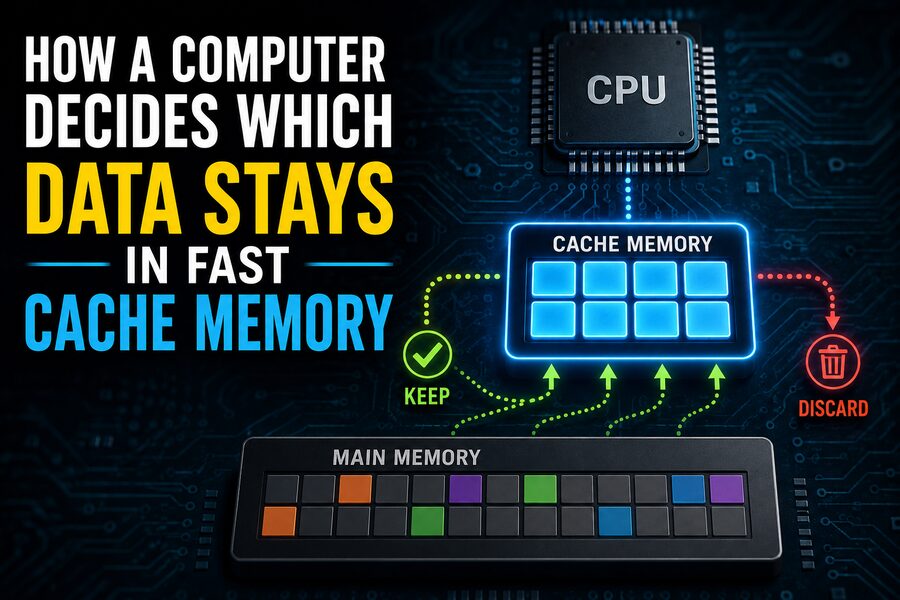

Modern processors can perform billions of operations every second, but they face a fundamental problem: main memory is much slower than the CPU.
A processor might complete an arithmetic operation in only a few clock cycles, yet fetching the required data from RAM can take far longer. If the CPU had to wait for main memory every time it needed an instruction or value, a large portion of its enormous computing power would be wasted simply waiting. ⏳
To solve this problem, computers use cache memory.
Cache is a small amount of extremely fast memory located close to, or directly inside, the processor. It stores copies of instructions and data that the CPU is likely to need again soon.
But cache capacity is limited. A processor may have access to gigabytes of RAM while its fastest caches contain only kilobytes or megabytes.
That creates an important question:
How does the computer decide which data deserves to remain in fast cache memory and which data should be removed? 🧠⚡
The answer involves several clever ideas, including locality, cache lines, replacement policies, memory addresses, associativity, and multiple cache levels.
⚡ 1. Why Cache Memory Exists
The CPU and main memory operate at very different speeds.
Modern processors run at extremely high clock frequencies and may execute multiple instructions simultaneously. Main memory, however, has much higher access latency.
This difference is sometimes called the memory wall.
Without cache, the CPU might repeatedly stall while waiting for data to arrive from RAM.
Cache reduces this delay by keeping frequently or recently used information physically closer to the processor.
The memory hierarchy usually looks roughly like this:
- CPU registers
- L1 cache
- L2 cache
- L3 cache
- Main memory
- Storage such as SSDs
The closer memory is to the CPU, the faster it tends to be—but also the smaller and more expensive it becomes.
Registers may be accessed almost immediately.
L1 cache is extremely fast but relatively tiny.
L3 cache is larger but slower.
RAM is much larger but slower still.
This hierarchy allows computers to combine speed with capacity. 🚀
🧱 2. Cache Stores Data in Blocks Called Cache Lines
A cache generally does not fetch one individual byte at a time.
Instead, it moves data in fixed-size blocks called cache lines.
A common cache-line size on modern processors is 64 bytes, although architectures can differ.
Suppose a program requests one integer stored at memory address 1000.
Rather than loading only those few bytes, the cache may retrieve an entire 64-byte region surrounding that address.
Why?
Because programs often use nearby data soon afterward.
If the CPU reads one element of an array, there is a good chance it will soon read the next element.
Bringing nearby data into cache in advance can therefore save future memory accesses. 📦
📍 3. The Principle of Locality
Cache systems work remarkably well because most programs exhibit locality.
There are two especially important forms.
🔁 Temporal Locality
Temporal locality means that if a program uses a piece of data now, it is likely to use that same data again soon.
For example:
counter = counter + 1
counter = counter + 1
counter = counter + 1
The value counter is repeatedly accessed.
Keeping it in cache avoids repeated trips to main memory.
📏 Spatial Locality
Spatial locality means that if a program accesses one memory location, it is likely to access nearby locations soon.
Arrays are a classic example.
If a program processes:
array[0], array[1], array[2], array[3]
then loading a cache line containing several neighboring array elements can make subsequent accesses extremely fast.
Cache design is built around these patterns. 🧠
🎯 4. What Is a Cache Hit?
When the CPU requests data, the cache checks whether it already contains the required memory block.
If the data is present, the result is called a cache hit.
The CPU can access the information quickly.
If the data is absent, the result is called a cache miss.
The processor must retrieve the required cache line from a lower-level cache or from main memory.
That takes more time.
Performance engineers often measure the cache hit rate, which describes the fraction of memory accesses served successfully by the cache.
A high hit rate is desirable because it keeps the CPU supplied with data.
Even a small improvement in hit rate can significantly affect performance in memory-intensive workloads. 📈
🗺️ 5. Memory Addresses Determine Where Data Can Go
Caches are not simply unordered containers where any memory block can be stored anywhere.
The CPU uses portions of the requested memory address to determine where the corresponding cache line should be placed.
A memory address can conceptually be divided into parts such as:
Tag | Set Index | Block Offset
Each portion serves a different purpose.
The block offset identifies the exact byte inside the cache line.
The set index determines which group of cache slots should be examined.
The tag identifies which memory block is currently stored there.
This arrangement allows the processor to check cache contents extremely quickly.
🧩 6. Direct-Mapped Cache: One Possible Location
The simplest cache organization is a direct-mapped cache.
In this design, each block of main memory can occupy only one specific cache location.
For example, memory blocks might be assigned using a formula similar to:
cache location = memory block number mod number of cache lines
This design is fast and simple.
However, it creates a problem called a conflict miss.
Suppose two frequently used memory blocks both map to the same cache location.
Every time one is loaded, it evicts the other.
The processor might repeatedly swap those two blocks even though plenty of other cache locations are unused.
This phenomenon is sometimes called cache thrashing. 🔄
🗂️ 7. Set-Associative Cache Gives Data More Choices
To reduce conflicts, most modern processors use set-associative caches.
Instead of each memory block having exactly one possible location, it can be placed into one of several slots within a particular set.
For example, a 4-way set-associative cache allows each memory block to occupy any of four cache lines in its assigned set.
Similarly:
- 2-way cache → 2 possible locations
- 4-way cache → 4 possible locations
- 8-way cache → 8 possible locations
Higher associativity reduces the chance that two useful blocks will constantly evict each other.
However, the hardware must check several possible cache entries simultaneously, which increases complexity.
Cache design therefore involves balancing speed, capacity, energy use, and associativity. ⚖️
🚪 8. What Happens When a Cache Set Is Full?
Suppose a new memory block must be loaded into a set that already contains all of its allowed cache lines.
Something must be removed.
This is where a cache replacement policy becomes important.
The cache controller chooses a line to evict so the new block can take its place.
The ideal choice would be the data that will not be needed for the longest time.
Unfortunately, the processor cannot know the future perfectly.
Instead, it uses practical approximations.
🕐 9. Least Recently Used: Keep What Was Used Recently
One famous replacement strategy is Least Recently Used, or LRU.
The idea is simple:
If a block has not been accessed for a long time, it is probably a better eviction candidate than something used moments ago.
Imagine a 4-way cache set containing:
A, B, C, D
Suppose the recent access pattern is:
A → C → B
If a new block E must enter the set, D may be considered the least recently used and removed.
This strategy takes advantage of temporal locality.
Data accessed recently is more likely to be accessed again soon. 🔁
🧮 10. Real CPUs Often Use Approximate LRU
Perfect LRU sounds straightforward, but implementing it exactly becomes expensive as associativity grows.
An 8-way or 16-way cache would need hardware capable of tracking the precise usage order of many entries.
That requires additional bits, logic, power, and timing complexity.
Therefore, processors often use pseudo-LRU or other approximate algorithms.
Pseudo-LRU tries to identify a reasonable eviction candidate without tracking the exact order of every access.
The result is usually almost as effective while requiring much simpler hardware.
This illustrates an important principle in computer architecture:
A slightly imperfect decision made extremely quickly may be better than a perfect decision that takes too much hardware or time. ⚙️
🎲 11. Random Replacement Can Also Work
Some caches use random replacement or policies that contain randomized elements.
When a set is full, the processor chooses one entry approximately at random.
At first, this sounds inefficient.
However, random replacement has several advantages:
- Very simple hardware
- Low bookkeeping overhead
- No need to track detailed access history
- Avoids certain pathological patterns
For sufficiently associative caches, random replacement can perform surprisingly well.
It demonstrates that the best theoretical policy is not always the best hardware implementation.
📊 12. Other Replacement Policies
Processor designers have explored many cache replacement strategies.
Examples include:
FIFO — First In, First Out:
Evict the cache line that has been in the set the longest.
MRU — Most Recently Used:
Remove the most recently accessed block in certain specialized workloads.
LFU — Least Frequently Used:
Prefer removing data that has been accessed the fewest times.
Adaptive policies:
Change behavior depending on observed workload characteristics.
Modern CPUs may use sophisticated proprietary algorithms that consider much more than simple recency.
The exact implementation is often not publicly documented in full.
🪜 13. Multiple Cache Levels Work Together
Modern processors rarely have just one cache.
They commonly use several levels.
⚡ L1 Cache
L1 is the smallest and fastest general-purpose cache.
Many processors split it into:
- L1 instruction cache
- L1 data cache
The instruction cache stores executable instructions.
The data cache stores values used by those instructions.
🚀 L2 Cache
L2 is larger but slightly slower.
It acts as a backup when L1 misses.
🏢 L3 Cache
L3 is usually much larger and may be shared among several CPU cores.
If data is missing from L1 and L2, the processor may check L3 before accessing RAM.
Each level helps reduce the number of expensive trips to main memory.
🔍 14. A Typical Memory Access Journey
Imagine that a CPU instruction requires a value stored in memory.
The processor might proceed conceptually like this:
- Check L1 cache.
- If found, use it immediately.
- If not, check L2.
- If absent, check L3.
- If still missing, request the data from RAM.
- Load the corresponding cache line into the cache hierarchy.
- Return the requested value to the CPU.
Each deeper level takes more time.
A successful L1 hit might require only a handful of cycles.
A main-memory access can require dramatically more.
This difference is why cache efficiency matters so much. ⏱️
📥 15. New Data Can Push Old Data Out
Cache capacity is finite.
Suppose an application processes a huge dataset much larger than the cache.
As new cache lines arrive, older ones must continually be removed.
This can create capacity misses.
Capacity misses occur because the cache simply cannot hold the entire active working set.
Even the smartest replacement algorithm cannot keep everything.
The processor therefore tries to retain the data most likely to be useful again while evicting less promising lines.
🧠 16. The Working Set Matters
A program’s working set is the collection of data it actively uses during a particular period.
If the working set fits comfortably in cache, performance can be excellent.
If it is larger than the cache, frequent evictions may occur.
For example, imagine repeatedly processing a 32 KB data structure on a CPU with a 48 KB L1 data cache.
Much of that information may remain nearby and accessible.
Now imagine repeatedly processing a 500 MB dataset.
Most of it cannot stay in L1, L2, or possibly even L3 cache.
The processor must access memory far more frequently.
This is one reason two algorithms with similar computational complexity can perform very differently on real hardware.
📐 17. Software Layout Influences Cache Behavior
Although hardware manages CPU caches automatically, programmers can strongly influence how effectively they are used.
Consider a large two-dimensional array stored row by row.
Reading it in row order usually produces good spatial locality:
row 1 → row 2 → row 3
Jumping between distant locations can produce many more cache misses.
This is why performance-oriented software often pays attention to:
- Data layout
- Loop ordering
- Structure size
- Memory alignment
- Sequential access
- Blocking and tiling techniques
Efficient software works with the cache hierarchy rather than against it. 🛠️
🧱 18. Cache Blocking Improves Data Reuse
A technique called cache blocking or tiling is commonly used in numerical computing.
Suppose a program performs operations on very large matrices.
Rather than processing the entire matrix in one pass, the program divides it into smaller blocks.
Each block is chosen so that much of its data fits inside cache.
The CPU performs many calculations using that block before moving to the next one.
This improves temporal locality because the same cached data is reused several times before being evicted.
Matrix multiplication libraries often rely heavily on this technique. 🧮
🔮 19. Prefetching Tries to Predict Future Needs
Modern processors do not always wait for a cache miss.
They often use hardware prefetchers that analyze memory-access patterns and try to predict what data will be needed next.
Suppose a program repeatedly accesses:
1000, 1064, 1128, 1192...
The processor may recognize the sequential pattern and begin loading upcoming cache lines before the CPU explicitly requests them.
If the prediction is correct, the data may already be waiting in cache.
This hides memory latency and improves performance. 🔮⚡
However, incorrect prefetching can waste cache space and memory bandwidth.
Prefetch algorithms therefore need to balance aggressiveness with accuracy.
✍️ 20. What Happens When Cached Data Is Modified?
Caches also need rules for handling writes.
Two important strategies are write-through and write-back.
📝 Write-Through
Every change made in cache is also immediately written to the next memory level.
This keeps lower memory levels synchronized but can create more memory traffic.
📦 Write-Back
Modified data remains in cache temporarily.
The cache line is marked as dirty.
The updated data is written to the lower memory level only when the line is eventually evicted.
Write-back caches can reduce memory traffic considerably.
Most high-performance processors rely heavily on write-back techniques.
🧼 21. Dirty Cache Lines Require Special Treatment
Suppose the cache needs to evict a line.
If that line contains an unchanged copy of main-memory data, it can simply be discarded.
The original data already exists elsewhere.
But if the line has been modified and marked dirty, the processor must preserve those changes.
Before or during eviction, the updated contents must be written to a lower cache level or main memory.
This makes eviction slightly more complicated.
Replacement logic may sometimes prefer clean lines because they can be discarded more cheaply, although actual policies vary by processor design.
🧑🤝🧑 22. Multiple CPU Cores Create Another Challenge
Modern processors contain multiple cores.
Each core may have private L1 and L2 caches.
What happens if two cores cache the same memory location and one core modifies it?
Without coordination, the cores could see inconsistent values.
To prevent this, processors use cache coherence protocols.
Examples include protocols related to the MESI family:
- Modified
- Exclusive
- Shared
- Invalid
These protocols coordinate cached copies so that all cores maintain a logically consistent view of memory.
Cache coherence adds significant complexity to multicore processor design. 🔄
🧠 23. Cache Decisions Are Mostly Automatic
One remarkable aspect of CPU caches is that ordinary programs usually do not explicitly decide which exact cache line should remain in L1 or L2.
The hardware handles these decisions automatically.
The processor continuously performs tasks such as:
- Checking memory addresses
- Detecting hits and misses
- Loading cache lines
- Tracking replacement information
- Evicting older data
- Managing dirty lines
- Maintaining coherence
- Prefetching likely future data
All of this occurs at extremely high speed, often without the application being directly aware of it.
The illusion presented to software is simply one large memory space.
Underneath that illusion is an elaborate hierarchy working constantly to keep useful information close to the CPU. ⚙️
📉 24. Three Major Types of Cache Misses
Computer architects often classify cache misses into three broad categories.
🆕 Compulsory Miss
The first time a program accesses a memory block, it cannot already be present.
This is sometimes called a cold-start miss.
📦 Capacity Miss
The cache is too small to hold all actively used data.
Useful information gets evicted simply because space runs out.
🔀 Conflict Miss
Several memory blocks compete for the same cache set even though other cache areas may be available.
Increasing associativity can reduce conflict misses.
Understanding these categories helps engineers determine why a workload is performing poorly.
🚀 25. Why Cache Performance Matters So Much
Processor speed is not determined only by clock frequency or the number of CPU cores.
Memory behavior can be equally important.
A program with excellent cache locality can keep the processor continuously supplied with instructions and data.
A poorly organized program may cause repeated cache misses, leaving execution units idle while waiting for memory.
This is why high-performance computing, gaming engines, database software, compilers, operating systems, and scientific applications all pay close attention to memory-access patterns.
Improving cache behavior can sometimes produce larger speed gains than adding more arithmetic operations per second.
🏁 Conclusion
A computer decides which data stays in fast cache memory by combining memory-address mapping, locality, cache associativity, replacement algorithms, and access history.
Data that has been used recently or is located near recently accessed information has a good chance of remaining useful. Cache systems exploit this behavior by storing entire cache lines and retaining them as long as practical.
When space runs out, replacement policies such as LRU-like algorithms, pseudo-LRU, random replacement, or more advanced adaptive strategies choose which cache line should leave.
Meanwhile, multiple cache levels, prefetchers, write-back mechanisms, and coherence protocols work together to maintain performance across increasingly complex processors. 🧠⚡
The result is one of the most important tricks in modern computing.
From a programmer’s perspective, a machine may appear to have one large memory system. In reality, the CPU is constantly moving small blocks of information through several layers of increasingly fast storage, trying to predict which instructions and values will matter next.
Every successful cache hit saves precious time.
And when billions of memory operations occur every second, those tiny savings add up to an enormous increase in overall computing performance. 💻🚀