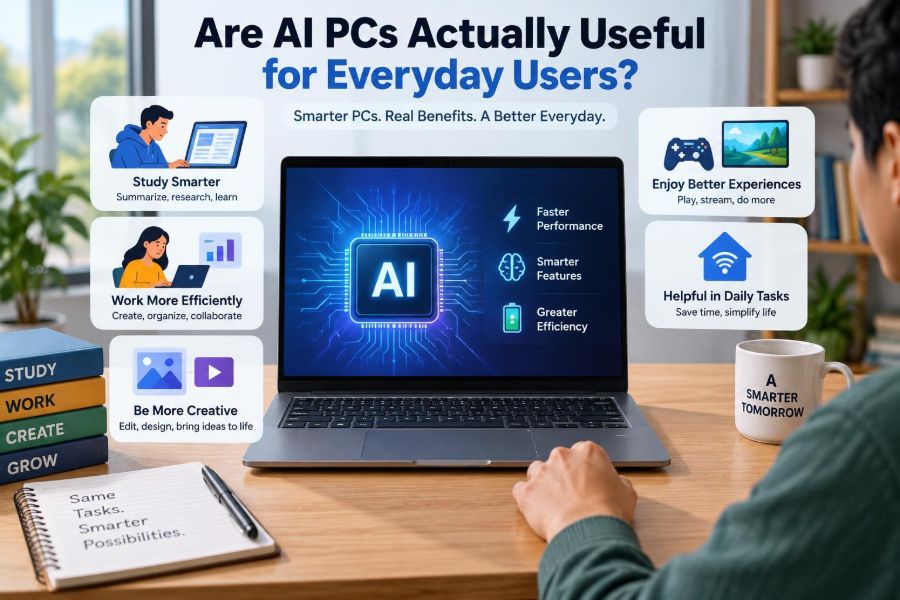

You buy a new laptop, open the settings app, and see unfamiliar labels: “AI features,” “neural processing unit,” or “Copilot+.” The device may look much like the computer you already own, yet the marketing makes it sound like a major change.
For students, that raises practical questions. Will it help with lecture notes, research, video calls, or photo projects? For working professionals, the question is even simpler: will it save time without creating new privacy, compatibility, or cost problems?
AI PCs are real computers with an extra type of processor designed for certain artificial intelligence tasks. But the useful part is not the label on the box. It is whether the features available on that particular machine solve problems you actually have.
Understanding what an AI PC can and cannot do makes it much easier to decide whether to buy one now, use the features already included with a new machine, or wait for software to improve.
🤖 What People Mean by an AI PC
An AI PC is usually a personal computer that includes hardware intended to run some AI workloads locally, alongside its normal CPU and graphics processor. It can be a laptop or desktop, and it still performs ordinary jobs such as browsing, editing documents, and running applications.
The phrase does not describe one fixed product category. Different manufacturers and operating systems use it differently, so an AI PC is not automatically equally capable just because it carries the same label.
🧩 The Three Processors Inside a Modern PC
Most modern computers divide work among three main kinds of processing hardware. The CPU handles general instructions and system tasks. The GPU excels at doing many similar calculations at once, which is useful for graphics and some demanding AI work.
An AI PC also has an NPU, or neural processing unit. This is specialized hardware optimized for repeated calculations used by machine-learning models. Think of it as an efficient appliance for a particular kind of kitchen task, not a replacement for the whole kitchen.
⚙️ Why the NPU Exists
AI features can consume considerable power when they run continuously. A CPU may handle a short AI task perfectly well, but it is not always the most energy-efficient choice. An NPU can often process supported tasks using less battery power than a CPU or GPU.
This matters most when a feature works in the background, such as improving microphone audio during a call or recognizing what is on screen. Efficiency, rather than raw intelligence, is the NPU’s main promise.
📊 AI PC Labels Do Not Guarantee the Same Experience
Hardware capability, operating system support, application support, and regional availability all affect what you can use. A computer may have a capable NPU but few apps that take advantage of it. Another may have useful AI tools that mostly rely on an internet connection.
| Claim on a product page | What to check |
|---|---|
| “AI-ready” | Which specific features and apps are included? |
| “Powerful NPU” | Does your chosen software use the NPU? |
| “AI assistant” | Does it work locally, online, or both? |
| “AI camera effects” | Are they useful for your webcam and operating system? |
In other words, judge the device by supported workflows, not a broad marketing category.
📝 Writing and Study Assistance
Many people first encounter AI through writing tools that summarize text, suggest revisions, generate outlines, or reorganize notes. These can reduce the friction of starting a draft or turning a long meeting transcript into a list of action items.
For a student, a local feature might help search personal lecture notes or improve dictated text. For an office worker, it might create a first-pass summary of a recorded meeting. The output still needs review: AI can omit context, misunderstand terms, or state incorrect information confidently.
🎙️ Better Calls Are One of the Most Practical Uses
Video-call effects are among the clearest everyday uses for on-device AI. Supported systems can reduce background noise, blur or replace a distracting background, keep a speaker framed, improve lighting, or make a webcam image appear more polished.
These tools are especially useful in a shared home, dorm room, or busy office. Because the effect may run on the NPU, it can leave more CPU and GPU capacity available for the meeting app and other work.
🔊 Noise Reduction Has Real Limits
Noise suppression can make keyboard taps, fans, and distant traffic less noticeable. It cannot reliably turn a loud café or a room with several people talking into a professional studio. Aggressive processing may also make a voice sound clipped or artificial.
Use it as a helpful filter, not a substitute for sensible setup. A headset microphone, a quieter location, and a stable internet connection still make the largest difference in call quality.
🌍 Live Captions and Translation
Some AI-capable devices can generate live captions for spoken audio, and some offer translation features for selected languages. Captions can support accessibility, help a learner follow unfamiliar accents, or make a video understandable in a noisy environment.
Translation is more uncertain. It may capture the broad meaning while missing technical vocabulary, humor, names, or context. Do not rely on automated translation alone for legal, medical, academic, or business-critical communication.
📷 Photo Editing Without a Powerful Desktop
Image applications increasingly use AI for selecting a subject, removing a background, reducing noise, enlarging an image, or finding photos by description. These tasks can be convenient for creating presentations, cleaning up family photos, or preparing product images.
Local acceleration may make a feature feel more responsive, particularly when working with private pictures or when internet access is poor. Yet high-quality generative editing can still require cloud processing, depending on the app and feature.
🎬 Video Work Can Benefit, but Expectations Matter
Video effects, automatic captions, speech cleanup, and subject tracking are useful in recordings and presentations. They can shorten repetitive editing steps for a teacher preparing a lesson or a professional creating an internal update.
However, an NPU does not turn a lightweight laptop into a high-end video workstation. Long, high-resolution exports and advanced effects often depend heavily on the CPU, GPU, memory, storage speed, and the editing program itself.
🔎 Smarter Search Can Save Small Amounts of Time
Search features may use AI to recognize concepts in files, images, screenshots, or personal notes. Instead of remembering an exact filename, you might search for a phrase such as “whiteboard budget photo” or “notes about network security.”
This is valuable because daily computer work often involves many small retrieval tasks. Saving a minute here and there is meaningful only if the search results are accurate, fast, and easy to control.
🗂️ Organizing Personal Information Raises a Privacy Question
A system that indexes content deeply may need permission to examine files, messages, screenshots, or activity history. Local processing can reduce the need to send that material to a remote server, but it does not remove every privacy concern.
Ask what data is collected, where it is stored, how long it remains available, and whether you can pause, clear, or disable the feature. Shared computers deserve particular care because a convenient searchable history can expose another person’s information.
🔒 Local AI Is Not Automatically Private
On-device AI means computation happens on your computer rather than entirely in a data center. That can be beneficial: data may remain on the device, responses can work offline, and latency can be lower.
But the surrounding application may still synchronize files, send prompts to an online service, collect diagnostic data, or use a cloud account. Read a feature’s privacy description rather than assuming “local” means no information ever leaves the device.
☁️ Cloud AI Still Has Advantages
Cloud AI can use much larger models than a typical laptop can store and run. It can also receive updates without asking you to replace hardware. This may produce stronger results for complex writing, coding, image generation, or specialized analysis.
The trade-off is dependence on an account, internet access, service policies, and sometimes paid usage limits. For many people, a mix works best: small, routine tasks locally and demanding tasks in the cloud when appropriate.
📶 Offline Use Is a Genuine Strength
A locally supported feature may continue working on a train, during travel, or when home internet fails. Offline captions, audio effects, image selection, and simple transcription are more dependable in these moments than tools that must contact a server.
Not every advertised AI feature works offline. Test the exact tools you care about, because an app may show a similar interface whether its processing happens on your PC or through an online service.
🔋 Battery Life Depends on the Whole System
An NPU can improve efficiency for compatible AI tasks, but it cannot guarantee excellent battery life. Screen brightness, display technology, processor choice, browser tabs, network activity, background software, and battery condition still matter greatly.
A useful rule is to evaluate battery claims as you would for any laptop: look at independent use patterns that resemble your own, and do not purchase a device solely because it has an AI processor.
💻 Everyday Apps May Not Use the NPU Yet
Software developers need to update applications to take advantage of new hardware. Some built-in operating-system features may support the NPU first, while the programs you use for school, accounting, design, or engineering may continue to rely on conventional CPU or GPU processing.
Compatibility is improving, but it remains uneven. Before purchasing, check the system requirements and feature notes for two or three applications you use most often.
🧠 An AI PC Does Not Replace Digital Skills
AI can generate a draft, summarize a document, or suggest a formula. It does not remove the need to define a problem, assess a source, understand a spreadsheet, or notice when an answer makes no sense.
For students, submitting AI-generated work without understanding it risks weak learning and may violate course rules. For professionals, copying an unverified summary into a report can spread mistakes quickly. Treat AI output as a starting point, not an authority.
⚠️ Hallucinations Are Still a Practical Risk
When an AI system produces plausible but false information, that failure is often called a hallucination. It can invent details, confuse similar topics, misread a request, or provide an outdated explanation.
Checking is especially necessary when facts affect grades, money, safety, contracts, software security, or a person’s reputation. Ask for sources where available, compare against original material, and verify important claims independently.
🏢 Workplace Data Requires Extra Care
Putting confidential information into an AI prompt can create a policy or compliance problem, even when the task seems harmless. Customer records, unpublished plans, source code, financial details, and personal employee information may have handling restrictions.
Use employer-approved tools and follow internal rules about data classification. If the answer is unclear, replace sensitive details with a fictional example or ask the responsible IT, security, or compliance team before proceeding.
🎓 Students Should Check Their Institution’s Rules
Schools and instructors differ widely in how they allow AI. One assignment may permit grammar suggestions but prohibit generated analysis; another may require disclosure of any AI assistance. The relevant policy is the one for that class and task.
Using AI responsibly can mean asking it to quiz you, explain a difficult concept in another way, or help create a study plan. It should not mean avoiding the thinking the assignment is designed to assess.
💰 Do Not Pay Extra for a Feature You Will Not Use
An AI PC may cost more than a comparable device, particularly when it is newly released. Paying extra can make sense if the machine also offers stronger battery life, memory, display quality, build quality, or performance you need.
It makes less sense to sacrifice essentials for an AI label. A computer with enough RAM, sufficient storage, a comfortable keyboard, reliable ports, and a good screen will usually improve everyday use more than a feature you open once.
🛒 A Better Way to Compare New Computers
Start with your normal week, not the sales page. List the programs you run, the files you create, how often you travel, whether you make calls, and whether you work with sensitive information.
- Confirm that required applications run well on the operating system and processor architecture.
- Check memory and storage, since these affect multitasking and long-term comfort.
- Identify one or two AI features you would actually use weekly.
- Verify whether those features work locally, require an account, or need a subscription.
- Compare the full machine against similarly priced non-AI options.
This approach prevents a headline feature from hiding a poor fit elsewhere.
🧪 Test AI Features During the Return Period
If you purchase a new computer, try its promised features early. Join a call in your usual environment, edit a few real photos, use captions with familiar audio, and see whether the assistant fits your actual writing process.
Also test less glamorous basics: Wi-Fi reliability, sleep and wake behavior, webcam quality, keyboard comfort, external display support, and battery life. A useful computer is a balanced system, not a collection of demonstrations.
🔄 Older PCs Are Not Suddenly Obsolete
Many AI services run in a web browser and work on older computers. Existing laptops can also use ordinary tools for transcription, noise reduction, photo editing, and writing assistance, though some may be slower or depend more on cloud processing.
Replace a computer when it no longer meets your real needs: poor reliability, inadequate performance, limited security support, failing battery, or incompatible essential software. “No NPU” alone is rarely an urgent reason to upgrade.
🛠️ Settings Worth Reviewing on an AI PC
After setup, review permissions for microphone, camera, files, location, and account synchronization. Look for switches controlling activity history, personalized suggestions, diagnostic sharing, and cloud-connected features.
Keep the operating system and apps updated, but read major feature notices rather than clicking through them automatically. AI capabilities can change after updates, and a feature that was initially optional may gain new controls or settings over time.
📈 The Most Useful Benefits Are Often Quiet
The best AI PC improvements may not feel dramatic. A cleaner voice on a call, a quick caption, faster photo selection, a useful file search, or reduced background processing can remove small points of friction from a day.
That is a more realistic standard than expecting a computer to become an autonomous assistant. Good technology supports your attention and judgment instead of constantly demanding both.
🧭 Who Should Consider Buying One Now?
An AI PC is worth serious consideration for someone already replacing a computer and who will benefit from its full package: efficient call effects, offline-capable tools, updated hardware, and software that supports the NPU. Content creators, frequent video-call users, travelers, and users who value local processing may see practical gains.
It is less compelling for someone with a recent, reliable PC whose everyday work is browsing, documents, email, and streaming. In that case, waiting costs little and gives software ecosystems more time to mature.
✅ The Core Takeaway: Buy the Workflow, Not the Label
AI PCs are useful when their specific features fit repeated tasks in your life. They can improve calls, accessibility, media editing, search, and offline convenience, while using specialized hardware efficiently.
They are not magical, universally private, or automatically better at every task. Check which functions run locally, protect sensitive data, verify important outputs, and prioritize the ordinary computer qualities that you will use every day.
An AI PC is a sensible purchase when it improves your real workflow, not simply because it promises an AI future. Choose the machine that helps you study, create, communicate, and work reliably—with AI features as useful tools rather than the whole reason to buy. 🖥️🔍✨