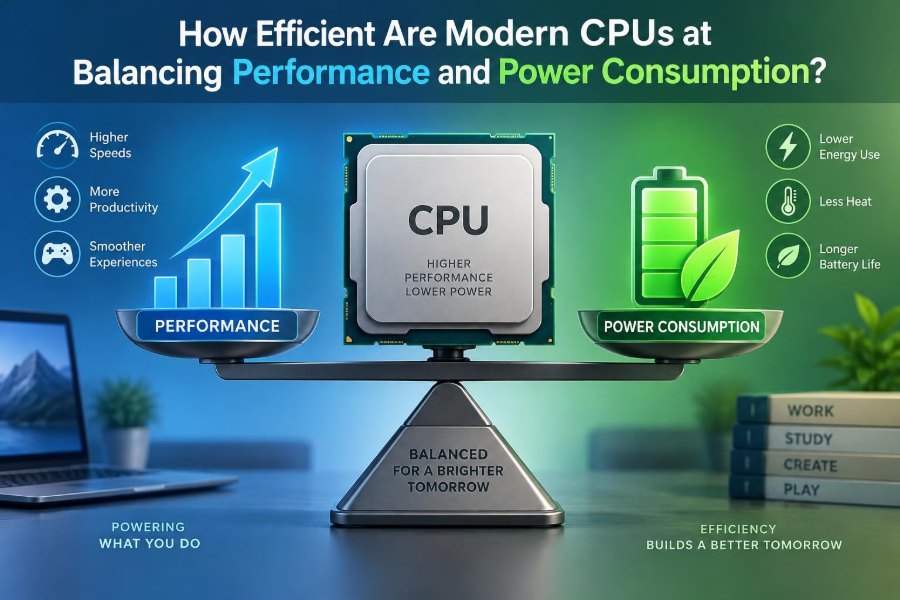

A laptop that feels cool and quiet while editing a document can suddenly become warm, noisy, and less responsive during a video call or game. The same computer has not changed its processor; the work being asked of it has changed.
That everyday shift raises a practical question: how can a modern CPU deliver quick responses when needed without draining a battery or turning a compact device into a small heater?
The answer is not simply that newer processors are “more efficient.” Modern CPUs continuously make decisions about speed, voltage, active cores, temperature, and the kind of task running. Their success depends on both clever chip design and the limits of physics.
Understanding those trade-offs helps when comparing laptops, configuring a desktop, diagnosing heat, or deciding whether a faster processor is actually the better choice for your work.
⚙️ What CPU Efficiency Actually Means
CPU efficiency is best understood as useful work completed for a given amount of energy. Energy is commonly measured in joules, while electrical power is measured in watts. A processor that completes a task quickly using modest energy is efficient, even if its short-term power draw briefly rises.
This differs from simply using the fewest watts. A very slow chip may consume little power at any instant but use energy for a long time. Conversely, a faster chip can sometimes finish a job, return to a low-power state, and use less total battery energy.
🔋 Power, Energy, and Battery Life
Power is the rate at which energy is being used. If a CPU draws more power during a demanding task, it creates more heat and asks more from the cooling system. Energy is power multiplied by time, which is why task duration matters.
Consider two hypothetical laptops exporting the same short video. One uses higher power but completes the export quickly; the other uses lower power but takes much longer. Either could consume less energy overall depending on the balance between power and completion time.
Battery life also includes the screen, storage, memory, wireless radios, and other components. CPU efficiency matters greatly, but it is not the only reason one laptop lasts longer than another.
🧠 Why Modern CPUs Do Not Run at One Speed
A fixed clock speed would be simple, but wasteful. Most work is uneven: opening a browser tab needs a quick burst, while reading a page needs almost none. Modern processors therefore adjust their operating state many times per second.
They may raise speed for a brief interactive task, then lower speed or place idle portions of the chip into sleep states. This responsive behavior aims to make a system feel fast without maintaining maximum power consumption all day.
📈 Clock Speed and the Cost of Frequency
Clock frequency is the rate at which a processor advances through its timing cycles. A higher frequency can improve performance when the work can take advantage of it, but it also raises power demand.
The relationship is not linear. Dynamic power is often described approximately as depending on capacitance, voltage squared, and frequency. The key lesson is that voltage has an especially large effect: pushing a CPU to very high speeds often requires extra voltage, which can make the final portion of performance disproportionately expensive in power and heat.
⚡ Voltage Is a Major Efficiency Lever
Transistors need sufficient voltage to switch reliably at a selected speed. At lower frequencies, a CPU can often operate at a lower voltage. Reducing that voltage can significantly reduce dynamic power use.
Processor firmware and operating systems manage voltage and frequency together through techniques commonly called dynamic voltage and frequency scaling. The exact controls differ across platforms, but the purpose is consistent: provide enough performance for current work without applying more electrical power than necessary.
🌡️ Heat Is the Physical Consequence
Nearly all electrical energy used by a CPU eventually becomes heat. A desktop tower can use large heatsinks, several fans, and spacious airflow paths. A thin laptop, tablet, or phone has far less room to move heat away.
Temperature affects more than comfort. Excess heat can reduce component reliability over time and forces the processor to lower performance. Good efficiency means producing less heat for a given amount of work, not merely hiding heat with louder cooling.
🧊 Thermal Throttling Protects the Hardware
When temperatures approach design limits, a CPU can reduce frequency, voltage, or both. This behavior is called thermal throttling. It is a protective mechanism, not automatically evidence of a defective processor.
However, frequent throttling during normal demanding work can reveal a mismatch between the processor’s allowed power and the device’s cooling capacity. A chip may look impressive in a short benchmark but sustain less performance after heat accumulates.
🚀 Turbo Boosts Favor Short, Urgent Work
Many CPUs temporarily operate above their typical sustained clock level when temperature, power delivery, and workload conditions allow. Names vary by manufacturer, but the concept is often called boost or turbo behavior.
This is useful for launching applications, compiling a small project, or responding to a user action. The boost is not a permanent promise. As heat builds or power limits are reached, the processor settles to a sustainable level.
⏱️ Short Bursts and Long Workloads Are Different Tests
A CPU can be excellent at short bursts yet average during an hour of rendering, simulation, or code compilation. The first task rewards rapid boosting; the second exposes cooling design, power limits, and long-term electrical efficiency.
When reading reviews or specifications, ask what kind of workload was measured. A single score without test duration, device design, and power settings tells only part of the story.
🧩 More Cores Change the Trade-Off
Multiple CPU cores allow separate streams of work to run simultaneously. Video rendering, software builds, data analysis, and multitasking can benefit when software is designed to divide work effectively.
Adding cores does not make every program faster. Some tasks have serial portions that must run on one core, and activating more cores consumes more power. For lightly threaded tasks, a few fast cores may matter more than a large core count.
🪶 Performance Cores and Efficiency Cores
Many modern designs combine different types of CPU cores. Performance-oriented cores are built to complete demanding, latency-sensitive work quickly. Efficiency-oriented cores are designed to handle lighter or background work with less power.
This approach can improve battery life and multitasking, but it requires intelligent scheduling. The system must decide whether a task needs a powerful core, an efficient core, or several cores working together.
🗂️ The Scheduler Makes Important Decisions
The operating system scheduler assigns runnable tasks to CPU cores. On mixed-core processors, it considers factors such as task priority, expected behavior, foreground responsiveness, and available cores.
Scheduling is not perfect, because software behavior changes constantly. A background task may suddenly need more performance, while a foreground app may spend most of its time waiting for input or data. Hardware hints and operating-system updates can improve these decisions over time.
🛌 Idle States Save Power Between Tasks
Even an apparently idle computer receives timer events, network activity, and background requests. CPUs save energy by placing unused cores, or parts of cores, into progressively deeper idle states.
Deeper states can save more power but may take slightly longer to exit. The system balances wake-up delay against expected idle time. This is one reason unnecessary background apps can affect battery life even when they seem to be doing very little.
🏗️ Process Technology Helps, but Does Not Solve Everything
Newer manufacturing processes can allow transistors to switch with less energy, fit more circuitry into a given area, or operate at improved performance levels. These advances are a major source of progress in CPU efficiency.
Yet smaller process labels should not be treated as a universal ranking. Naming conventions differ between manufacturers, and actual efficiency depends on architecture, chip layout, voltage behavior, memory, packaging, and the finished device.
🔌 Leakage Power Matters at Low Activity
Not all power use comes from actively switching transistors. Leakage power is electricity that escapes through transistors even when they are not actively performing useful switching. Leakage becomes more challenging as designs become denser and hotter.
Power gating helps by disconnecting unused blocks from power where practical. A processor may shut down parts of graphics, media engines, or CPU sections until they are needed, reducing waste during light workloads.
📦 Cache Memory Reduces Expensive Waiting
CPU cores are much faster than main memory. Cache is a small, fast memory located close to the core that stores recently or frequently used instructions and data. A cache hit avoids a slower trip to system memory.
Better cache design can improve both performance and energy efficiency because the CPU spends less time waiting and reduces traffic through memory pathways. Large caches are not free, though: they consume chip area and can add their own power costs.
🚌 Memory and Data Movement Can Dominate
Moving data can cost substantial energy. A workload that repeatedly fetches large amounts of data from memory may be limited less by raw CPU calculation and more by memory bandwidth and latency.
This is why two programs with similar-looking CPU utilization can have different power behavior. One may reuse data efficiently in cache; another may continuously move large datasets. Efficient software often improves data locality, keeping useful data close to the processor.
🎮 Integrated Graphics and Specialized Engines Help
A modern system-on-chip may include CPU cores, graphics hardware, video encoders and decoders, image processors, and machine-learning accelerators. A specialized engine can perform a suitable task with less energy than general-purpose CPU cores.
For example, decoding a supported video format with dedicated media hardware is usually more efficient than asking the CPU to do all of that work in software. The benefit depends on application support and the particular format being used.
📊 Why Benchmark Scores Need Context
Benchmarks are useful tools, but they are controlled snapshots. Results can change with power mode, cooling, memory configuration, firmware, operating-system version, and whether the test is short or sustained.
| Question to ask | Why it changes the result |
|---|---|
| Is the test short or sustained? | Short tests may emphasize boosting; long tests reveal cooling limits. |
| What power setting was used? | Quiet and performance modes can allow very different CPU power levels. |
| Was the device plugged in? | Some systems reduce available performance on battery. |
| What software was tested? | Different applications use cores, graphics, memory, and accelerators differently. |
A higher score is meaningful only when it matches the work you actually perform and the noise, heat, and battery trade-offs you accept.
💻 Laptop Efficiency Is a Whole-System Result
In laptops, the CPU shares a thermal budget with graphics, charging circuitry, storage, and often the display. Manufacturers choose how aggressively to prioritize silence, surface temperature, peak speed, and battery runtime.
Two laptops using the same processor can therefore behave quite differently. One may permit higher sustained power with louder fans; another may limit the chip earlier to remain quieter and cooler. Neither choice is automatically wrong.
🖥️ Desktop CPUs Can Spend More for More Speed
Desktops generally have stronger cooling and higher-capacity power supplies, so they can sustain higher power levels. This is valuable for professional rendering, engineering workloads, and other long-running tasks where time saved has real value.
But extra performance near the top of a processor’s range can consume much more power for a smaller gain. Users who do not need maximum throughput can often choose a lower power limit and retain most everyday responsiveness.
📱 Mobile Devices Make Efficiency Non-Negotiable
Phones and tablets have limited battery capacity and little room for active cooling. Their processors must handle quick interaction, cameras, wireless communication, and media tasks while keeping external temperatures comfortable.
This environment strongly favors specialized engines, efficient cores, aggressive idle management, and brief performance bursts. It also explains why mobile chips are designed around responsiveness per watt rather than simply pursuing the highest sustained power draw.
🧮 Software Determines How Hard the CPU Works
Hardware cannot fully compensate for inefficient software. Repeated background polling, excessive logging, poorly optimized loops, and unnecessary redraws can wake the CPU frequently or keep it active longer than needed.
Well-designed software batches background work, waits efficiently for events, uses hardware acceleration where appropriate, and avoids processing data that will not affect the user. These choices improve battery life while often making applications feel more responsive.
🔧 Power Modes Are Policies, Not Magic
Operating systems commonly offer power modes such as balanced, best performance, or battery saver. These modes influence how quickly the CPU boosts, how long it remains at high power, and how aggressively background work is limited.
Battery saver is useful when runtime matters more than peak speed, but it may slow exports, compilation, and complex spreadsheets. A balanced mode is usually sensible for general work; performance modes make the most sense when plugged in and doing work that genuinely benefits.
🧹 Background Work Can Undermine Efficiency
Cloud synchronization, browser tabs, update services, antivirus scans, and communication apps can consume CPU time in small pieces. Individually, each may be modest. Together, they can prevent the system from reaching deep idle states.
- Close browser tabs and applications you are not using.
- Schedule intensive scans, backups, and updates for convenient times.
- Check startup applications if a computer is persistently warm or sluggish at idle.
- Use built-in activity monitors to identify a process that is unusually busy.
Do not disable security tools blindly. The goal is to identify needless activity, not remove useful protection.
🌬️ Cooling Maintenance Preserves Real Performance
Dust, blocked vents, worn fans, and poor airflow can make an otherwise efficient processor throttle earlier. Laptops are especially vulnerable when used on bedding, cushions, or other soft surfaces that obstruct intake vents.
Simple habits help: use a hard surface, keep vents clear, and follow the manufacturer’s guidance before attempting internal cleaning. If temperatures or fan behavior suddenly become unusual, professional service may be safer than improvised repairs.
⚠️ Common Mistakes When Comparing CPUs
One common mistake is treating a quoted maximum clock speed as normal sustained speed. Another is comparing a low-power laptop processor with a desktop chip solely by core count or benchmark result.
- Do not assume a higher wattage rating always means a faster real-world computer.
- Do not assume a lower-power chip is always more energy-efficient for every task.
- Do not ignore memory capacity, storage speed, graphics needs, and cooling.
- Do not judge a processor only by its launch specifications; device implementation matters.
The most useful comparison begins with workload: writing, programming, gaming, video work, data processing, or portable all-day use each place different demands on a system.
🛒 Choosing a CPU for Your Actual Work
For web browsing, office applications, streaming, and communication, modern midrange processors are often sufficient. Prioritize battery life, keyboard quality, memory capacity, and a device that remains quiet during typical use.
For programming, look at the size of projects, virtual machines, and compile workloads rather than assuming every developer needs the highest-end CPU. For video editing, 3D work, and engineering applications, examine sustained performance, graphics capability, memory, and application-specific acceleration.
A good purchase is not the processor with the largest headline number. It is the system that delivers the needed work comfortably within your limits for price, noise, portability, and power.
🔮 Where CPU Efficiency Is Heading
Future gains are likely to come from several directions at once: improved manufacturing, more capable mixed-core designs, better packaging, larger or smarter caches, specialized accelerators, and software that schedules work more intelligently.
Progress will not be uniform. Some improvements favor short interactive tasks, while others help sustained professional workloads. Growing demand for local AI processing also increases the value of accelerators that can handle suitable models without keeping general CPU cores fully active.
🎯 The Core Principle: Right Power for the Right Work
Modern CPUs are remarkably effective at balancing performance and power because they are adaptable. They boost briefly, lower voltage when possible, park idle hardware, use different core types, and hand suitable tasks to specialized engines.
Still, efficiency is not a single chip specification. It emerges from the processor, operating system, application, memory system, cooling design, and the way a person uses the device. Peak performance, sustained performance, quiet operation, and battery life are connected goals that sometimes compete.
The practical takeaway is to judge processors by the work they must complete and the conditions under which they must complete it. That perspective turns a confusing list of speeds, cores, and power ratings into a much clearer decision.
The most efficient CPU is not always the one that uses the least power or posts the highest score; it is the one that completes your real workload with the best balance of speed, energy, heat, and usability. 🖥️🔋⚙️