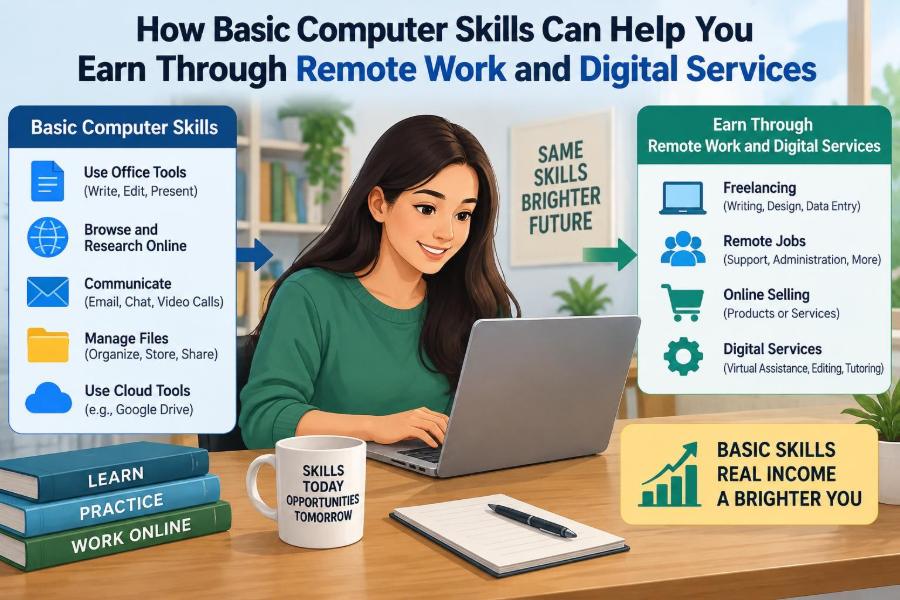

A student who can format a document, manage files, and send a professional email may not think of those abilities as income-producing skills. Yet a small business owner who is behind on invoices, a teacher who needs slides cleaned up, or an online seller who needs product information entered may see those same abilities as valuable help.
Remote work is not limited to software developers, designers, or people with advanced technical degrees. Many digital services begin with ordinary computer tasks done accurately, clearly, and on time. The difference is learning to turn a familiar task into a reliable service for another person.
This does not mean every computer user will immediately find paid work. Remote work requires communication, judgment, and consistent delivery as well as technical ability. But basic computer skills can create a realistic starting point for building experience, supporting a side income, or moving toward more specialized digital work.
The useful question is not simply, “What programs do I know?” It is, “What problem can I solve with those programs, and can I solve it in a way that saves someone time?”
🌱 Basic Skills Are a Practical Starting Point
Basic computer skills include using an operating system, navigating folders, typing, searching the web, working with documents, and communicating online. These are foundation skills: they may look simple, but nearly every remote task depends on them.
A client rarely pays for clicking buttons. They pay for an outcome, such as an organized contact list, a readable report, a scheduled set of posts, or a correctly prepared spreadsheet. Basic skills become valuable when they help produce that outcome with less effort for the client.
🏠 Why Remote Work Creates Small-Service Opportunities
Remote work allows information-based tasks to move between locations. If a task can be explained through messages, shared as digital files, and checked online, it may be possible to complete it from home or another suitable workspace.
Small organizations often have recurring administrative work but may not need a full-time employee. A freelancer or remote assistant can help with defined tasks, provided expectations, access, and deadlines are clear. This creates opportunities, but it also means the worker must be dependable without direct supervision.
🧩 Turning a Skill Into a Service
A skill is an ability; a service is a clear offer that solves a specific problem. “I know Word” is broad. “I format reports so they are consistent, easy to read, and ready to share” is a service a client can understand.
To shape an offer, identify the input, the work, and the result. For example, a client supplies rough notes and images; you organize them into a clean presentation; the result is a file ready for a meeting.
- Input: files, instructions, or raw information from the client.
- Process: the computer task you perform and the checks you make.
- Output: the finished file, update, list, or digital asset.
⌨️ Fast, Accurate Typing Has Direct Value
Typing supports transcription, data entry, document preparation, customer messages, and meeting notes. Speed helps, but accuracy matters more when names, prices, dates, account details, or instructions are involved.
Improve by practising touch typing, using spell-check carefully, and reviewing a small sample before submitting a large job. A fast worker who introduces errors can create more work for a client than they save. Accuracy is part of the service, not an optional final step.
📁 File Management Prevents Costly Confusion
Files are easy to misplace when downloads, screenshots, and edited versions build up. A remote worker needs a simple, repeatable system for folders, file names, backups, and version control.
A name such as March_Invoice_Draft communicates far more than final_new2. Include a project name, a useful date where appropriate, and a clear status. Before delivering, confirm that the correct version is attached and that the client can open the file format.
📝 Document Formatting Is More Than Decoration
Many people can type words into a document, but fewer can make a document easy to use. Consistent headings, spacing, page breaks, lists, and tables help readers find information quickly.
Possible services include formatting resumes, reports, meeting agendas, training notes, newsletters, and templates. The goal is not to make every page elaborate. It is to create a clean structure that suits the audience and lets the content do its job.
📊 Spreadsheet Skills Solve Everyday Business Problems
Spreadsheets are useful for budgets, stock lists, schedules, contact records, simple sales tracking, and expense logs. Even basic functions such as totals, sorting, filtering, and simple formulas can save a client considerable manual work.
For instance, a local seller may keep orders in messages and paper notes. A well-organized spreadsheet can put customer names, items, dates, payment status, and delivery status in one place. That is a practical business improvement, not merely data entry.
🔍 Data Entry Requires Careful Checking
Data entry involves transferring information into a system, spreadsheet, form, or database. It may sound routine, but reliable data is essential for mailing lists, inventories, research notes, event registrations, and customer records.
Ask what each field means before beginning. “Date” could mean order date, due date, or date received. Check for duplicates, obvious inconsistencies, missing information, and accidental changes to formulas. Never guess sensitive details simply to fill an empty cell.
📧 Email Writing Builds Professional Trust
Email is often the main evidence a remote client sees of how you work. A clear message confirms that you understand the task, shows progress, and makes it easier to resolve questions before they become errors.
A useful work email usually states the purpose, the current status, and any action needed. Avoid vague messages such as “Done.” Instead, say what was completed, where the files are, and which question needs an answer. Professional does not mean overly formal; it means clear, respectful, and accurate.
🗓️ Calendar and Scheduling Support Is a Useful Service
Busy professionals may need help entering appointments, sending reminders, arranging meeting times, or keeping a shared calendar orderly. This work requires attention to time zones, availability, meeting links, and privacy.
Never assume a time zone from a person’s location or name. Confirm it, especially when participants are in different regions. A scheduling mistake can affect several people, so send a concise confirmation and update the calendar when details change.
🎥 Presentations Need Structure, Not Just Slides
Presentation tools can support services such as cleaning up slides, applying a consistent layout, adding simple charts, and converting rough content into a logical sequence. The most useful presentation is not necessarily the most colourful one.
Use readable fonts, enough contrast, and limited text per slide. If a client provides a brand style or template, follow it closely. Your job may be to improve clarity while preserving the client’s message, rather than redesigning everything according to personal taste.
🛒 Online Store Support Combines Several Basics
Online sellers often need help adding products, checking descriptions, resizing images, updating stock information, or responding to routine customer questions. These tasks combine typing, file management, careful reading, and platform navigation.
Before changing a listing, understand the store’s rules for prices, descriptions, and returns. A small error in a product title or quantity can confuse customers. Start with a limited set of listings and use a checklist until the process becomes familiar.
📱 Social Media Assistance Has Clear Limits
Basic computer skills can support social media work through scheduling approved posts, organizing captions, resizing supplied images, and monitoring simple comments. This is different from claiming to provide full marketing strategy or promising audience growth.
Clients should approve the voice, visuals, and posting plan. Keep a record of what was scheduled and when. Do not publish unapproved opinions, disclose private information, or use copyrighted material without permission. Good support protects the client’s reputation as well as their time.
🎧 Customer Support Depends on Listening
Remote customer support may involve answering common questions through email, chat, or a help desk. Basic computer skills help you find order information, use templates, document conversations, and direct a problem to the right person.
The important skill is not typing a quick response; it is understanding the question. Read the message fully, acknowledge the issue, give only information you can verify, and escalate cases outside your authority. A polite wrong answer is still a wrong answer.
🔎 Online Research Can Be a Paid Deliverable
Research assistance may involve finding publicly available information, comparing options, building lists, or summarizing material for a client. A useful research task has defined boundaries: what sources to use, what facts to collect, and how results should be presented.
Search results are leads, not automatic proof. Record source details, distinguish facts from opinions, and note when information is uncertain or out of date. Do not copy large sections of another person’s work and present them as original writing.
🖼️ Simple Visual Tasks Can Add Value
With basic design tools, a beginner may create simple documents, crop images, remove unwanted margins, make consistent quote graphics, or prepare social-media-sized versions of client-provided material. These tasks can be useful without requiring advanced illustration skills.
Respect licensing and ownership. Images found through a search engine are not automatically free to reuse. Ask clients to provide approved assets, use properly licensed resources, or choose original work. When a task needs professional branding or complex editing, refer it to a specialist.
🧰 Choosing Tools Without Becoming Tool-Dependent
Office suites, cloud storage, email applications, video meeting tools, task boards, and design platforms can all support remote work. Learning their basic features is worthwhile, but tools change and clients use different systems.
Focus on transferable concepts: folders, permissions, templates, comments, file formats, formulas, search, and revision history. If you understand the concept of a shared document, you can usually learn a particular platform’s version of it more quickly.
☁️ Cloud Collaboration Makes Remote Work Possible
Cloud-based work means files or applications are accessed through the internet rather than stored only on one computer. Shared documents can allow several people to comment, edit, or review without emailing many copies back and forth.
Use permissions carefully. “View,” “comment,” and “edit” access are different, and clients may not want everyone to have the same level of control. Check whether a document is shared with the right people before assuming it is ready for review.
🔐 Protecting Client Data Is Part of the Job
Remote workers may encounter contact details, invoices, login links, business plans, or customer messages. Treat this information as confidential, even if the client has not provided a lengthy policy document.
- Use strong, unique passwords and enable multi-factor authentication where available.
- Do not share passwords through casual messages unless a client has chosen a secure method.
- Lock devices when stepping away and avoid public Wi-Fi for sensitive work unless properly protected.
- Delete or return client files when the work arrangement ends, if instructed to do so.
Do not download more data than necessary, and do not use client information in a portfolio without explicit permission.
🧑💼 A Portfolio Can Be Small and Honest
Beginners often delay looking for work because they have no paid examples. A portfolio can include practice projects that clearly state they are samples. For example, create a fictional inventory spreadsheet, a formatted meeting agenda, or a sample set of slides from publicly available practice text.
Show the problem and the finished result. Do not pretend a hypothetical project was completed for a real company. Honest samples demonstrate competence while protecting trust from the beginning.
📌 Start With One Clear Offer
Trying to offer every digital service at once makes it difficult for clients to understand what you do and difficult for you to deliver consistently. Begin with one or two related services based on skills you can already perform well.
A focused starting offer might be “spreadsheet cleanup and data entry for small businesses” or “document formatting and virtual administrative support.” As you complete work and learn what clients need, you can add connected services gradually.
💬 Scope Prevents Misunderstandings
Scope is the agreed boundary of a task: what is included, what is not included, how many items are involved, what format will be delivered, and when it is due. Clear scope protects both the worker and the client.
Before accepting work, summarize the assignment in writing. For example: “I will enter the supplied contact details into your spreadsheet, standardize the columns, and flag incomplete entries. I will not contact the people on the list.” This reduces surprises later.
⏱️ Deadlines Require Realistic Planning
Remote work rewards people who can estimate tasks honestly. Break a job into steps: receiving materials, reviewing instructions, doing the work, checking it, and delivering it. Leave room for questions and unexpected file problems.
If you discover that a deadline cannot be met, tell the client early and explain what is complete and what remains. Silence creates uncertainty. A reliable update can preserve trust even when a plan needs adjustment.
💵 Pricing Should Reflect Work and Responsibility
New workers may feel pressure to charge very little, but a price should account for the time required, the complexity of the task, revisions, software costs, and the responsibility involved. There is no single correct rate for every location, client, or service.
For small defined tasks, a fixed project price can be easier for both sides. For continuing support with changing tasks, an hourly arrangement may make more sense. State whether revisions, meetings, or urgent requests are included before work begins.
⚠️ Recognizing Scams and Unfair Requests
Remote work offers can be genuine, but online spaces also attract scams. Be cautious if someone asks you to pay money to receive a job, requests use of your bank account, sends a suspicious cheque, or pressures you to act immediately without clear details.
Another warning sign is a vague task paired with access to sensitive accounts or documents. Verify who you are dealing with, keep communication records, and trust concerns that arise when a request seems inconsistent or secretive. Legitimate work can still require care; payment arrangements and platform rules vary.
📈 Feedback Turns Repetition Into Improvement
After completing a task, ask a practical question: “Was the format useful, and is there anything you would like handled differently next time?” Specific feedback helps you improve faster than guessing what a client preferred.
Keep private notes on recurring requests, common errors, and useful shortcuts. Over time, these notes can become checklists and templates. This is how a basic task develops into a dependable process.
🧠 Learn One Layer Beyond the Basics
Once a foundation is stable, add skills that make your work more efficient or more useful. A document worker might learn templates and mail merge. A spreadsheet assistant might learn conditional formatting, lookup functions, or simple charts. A virtual assistant might learn task-management systems.
Do not rush into advanced tools without understanding the basics underneath them. A complex formula is not helpful if you cannot check whether its result makes sense. Progress works best when each new skill solves a problem you have actually encountered.
⚖️ Remote Work Has Benefits and Constraints
Remote digital services can offer location flexibility, lower commuting time, and opportunities to work with clients outside one’s immediate area. They can also help people build confidence through small, manageable assignments.
However, they require self-management, dependable internet and equipment, clear boundaries, and patience while finding suitable work. Income may be irregular, and not every task is a good fit. Treat remote work as work: plan your time, track commitments, and protect rest.
🤝 Reliability Is the Skill Clients Remember
Technical ability gets a task completed, but reliability makes a person easier to hire again. Reliability means following instructions, asking sensible questions, protecting information, meeting commitments, and admitting a mistake quickly when one occurs.
A client may choose a careful assistant with solid basic skills over someone with more advanced tools but poor communication. In digital services, trust is often built through many small actions: a correctly named file, a timely update, a question asked before making a risky change.
🚀 Build Earning Ability Step by Step
The central principle is simple: basic computer skills create earning potential when they are applied to a real need with accuracy, communication, and responsibility. You do not need to claim expertise you do not have. Start by delivering a modest task well.
Practise the fundamentals, create honest examples, define a clear offer, protect client data, and improve from each assignment. The path from basic computer use to remote digital services is usually gradual, but each completed task can strengthen both skill and confidence.
Basic computer skills become valuable remote-work skills when you use them to make another person’s work clearer, faster, safer, or more organized. Build that value patiently, and small digital tasks can become meaningful professional opportunities. 🖥️📁🌱